If something doesn’t sound right, it might not be.
Those of you who follow the aviation-related posts in this blog — and there are a lot of you — might recall how I balked last year when the FAA told me I was required to buy a radar altimeter to continue Part 135 charter operations in my VFR-only aircraft. I argued that a radar altimeter’s sole purpose was to tell a pilot how far the aircraft was from the ground and that VFR operations, by definition, meant that the pilot could see the ground. If I wanted to know how far I was from the ground, all I had to do was look out the window. I didn’t need to spend $8K to $20K for an instrument inside the cockpit to tell me how far from the ground I was.
The argument apparently had some merit because a handful of Part 135 operations like mine, who apparently have more reasonable FAA oversight, got a waiver of the requirement. To this day, they still have that waiver.
I fought long and hard on this issue and, in the end, lost. Through the efforts of someone at Helicopter Association International (HAI), I got a temporary waiver that gave me until this coming October to comply. I wound up having one installed on Mr. Bleu (my new old helicopter) because the kind folks I bought it from offered to do the labor for free. It still cost me $10K. (Unfortunately, I have to pass that cost on to my charter clients with a $25/landing fee for all Part 135 flights.)
A lot of people might think that my experience with this would convince me that it isn’t worth fighting when you think something is wrong. That’s simply not true. I will always fight for what I think is right — if it’s important to me. Yes, I pick my battles.
And that brings me to the topic of today’s blog post: two FAA findings in yesterday’s aircraft inspection.
A Tiny Bit of Backstory
When Zero-Mike-Lima was totaled, I had no helicopter. One of the requirements of a Part 135 certificate — the FAA certification that enables me to legally do air-taxi work — is that I have at least one helicopter on my certificate. When I informed my local FAA Flight Standards District Office (FSDO) that Zero-Mike-Lima was gone, they waited a week or two before kindly informing me that if I didn’t replace it soon, they’d cancel my certificate.
This is a huge deal. It took just four months for me to get my certificate in the beginning of 2005 and that was considered lightning fast. These days, it’s rare to get the process done in less than two years.
Admittedly, I don’t use my Part 135 certificate much anymore. Most of my work centers around cherry drying, with a dose of aerial photo/survey work, scenic tours within 25 miles of the starting point, and hop rides at outdoor events. For a while I was doing a lot of wine tasting tours, but I’ve dialed that down to hour-long trips that are a bit pricey for the average wine lover. Still, I want to keep my Part 135 certificate because it enables me to say yes to the odd charter flight that comes my way. When you have a small business with limited activity, being able to say yes can make a big difference in your bottom line.
So I was motivated to get a replacement. I blogged about my shopping experience here and about picking up Mr. Bleu and flying it home with a friend here. Once it was here and I had all the paperwork I needed the FAA to review, I contacted my guys at the FSDO to arrange for an inspection.
You see, it isn’t enough for me to get a helicopter. The FAA has to inspect it. There’s a laundry list of requirements for Part 135 work, as well as the general airworthiness of the aircraft itself. That’s why I was so picky about what I bought and why I wound up buying the helicopter I did. I knew it would comply with all requirements so it would be easy for me and for the FAA to get it on my certificate.
The Inspection
The FAA scheduled the inspection for May 3. I was expecting my Primary Operations Inspector (POI) and Primary Maintenance Inspector (PMI). That’s two guys. So imagine my surprise when a small car rolled into my driveway that morning and four guys got out of it.
Apparently, my inspection was part of a training exercise. Lucky me.
They all came upstairs and I handed over all of the helicopter’s paperwork to them. I pulled out my big dining room table — I normally keep it stowed against a wall — and the three maintenance related guys sat around it. I sat at the breakfast bar with my POI to talk about operations stuff. It seemed that they were combining the aircraft inspection with a base inspection and a post-crash interview. That was fine. I had nothing to hide and I was confident that the aircraft would meet their requirements.
I have to say that I did the right thing when I bought a helicopter with just one previous owner from a place with a well-managed maintenance shop. Every single document that they were looking for was in the packet I had for them. The only two things they brought to my attention is my need to register my ELT (Emergency Locator Transmitter; a piece of emergency equipment) and the possibility that I might need to update my Pilot Operating Handbook (POH) with a manual for the radar altimeter. That second finding actually came later, when they looked at the helicopter.
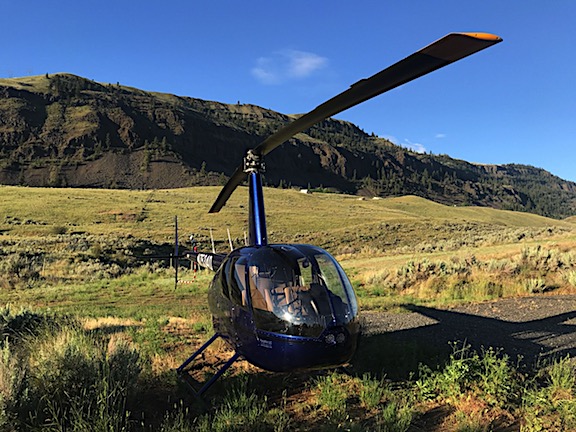
And that’s where we went next: to the helicopter. After I asked my PMI to take off his FAA hat and help me get my new printer up onto my loft and a chair down from my loft — a matter of handing a box up to me and taking a lightweight chair I handed down — we went back downstairs. They all climbed into their car — which, by that point, I had begun thinking of as a clown car, mostly because of so many big guys being in such a relatively small car — and I pulled my Jeep out of my garage. I led the way back down my road and around to my neighbor’s airstrip, where the helicopter was parked. (Long story there; it’ll eventually get blogged about.) We parked next to the helicopter and got out. I pulled off the cover and opened the doors. The four guys moved in.
At one point, I almost got a photo of them all poking their heads into various parts of the helicopter, but as soon as I took my phone out, one of them moved away and I skipped the shot.
I answered questions. We talked about the fire extinguisher (the Spokane FSDO seems obsessed with it — in 9 years the Scottsdale FSDO never even looked at it) and I was told that it needed to be inspected monthly by a mechanic who would put an entry in the aircraft logbook. We talked about the POH and my possible need to add a manual to the Supplements section for my radio altimeter — although no one seemed to know for sure if such a supplement existed or was actually required. We talked about the level of the main rotor gearbox fluid. We talked about how clean the helicopter was.
And we talked about safety wire.
The Safety Wire
Safety wire, in case you don’t know, is thin wire that’s used to secure nuts and other removable items. It prevents them from loosening and potentially spinning off. Look at any aircraft long enough and you’ll find these thin wires here and there, twisted tight.
The maintenance guys pointed out that there was no safety wire on the tail rotor gearbox or oil filter. This was a “finding” — that’s a word that auditors use when they find something wrong. I don’t know what FAA guys call it. Exception? Non-Compliance?
I was embarrassed. I should have caught that on preflight but didn’t. It looked fine to me. But what really surprised me was that the maintenance shop had let it go like that. I decided to rib them about it later.
I told the FAA guys that I’d fly it to the airport to have the mechanic there add the wire. They told me I needed a ferry permit. Apparently the aircraft was not airworthy without it. I said I’d get a ferry permit, imagining some form I’d fill out online. They asked if I’d ever gotten one before. I said no. They said that I’d have to fill out a form and then get a mechanic out to look at the aircraft and sign off on it.
“Since the mechanic has to come out here anyway, can’t he just add the wire while he’s here?” I asked.
“Bingo,” one of them replied.
I made a mental note to get in touch with the local airplane mechanic when the FAA left.
The Doors
At that point, we seemed to be done. But then my PMI said, “And we need to talk about the doors.”
They had sent me a document a week or two before (InFO 18002) that talked about helicopters on fire contracts, removing and installing doors in remote areas, and cargo doors (which I don’t have). It didn’t seem to apply to my operation.
Robinson helicopters have simple door attachments: two hinge pins with round cotter pins to prevent them from slipping out, combined with little hydraulic do-dads that keep the door open when you open it. Of course, there’s a latch to hold the door closed in flight or when parked. Pretty simple stuff. As a student pilot in Arizona 20 years ago, one of the first things I learned was how to remove and install the doors on the R22s I trained in. With daytime shade temperatures in triple digits six months out of the year, I think we flew more often with doors off than doors on. That was certainly the case when I bought my first helicopter in 2000.
After reading the document, I’d emailed my PMI to tell him I didn’t think it applied to my operation. He said we’d talk about it at the inspection. This was the talk.
It wasn’t good news. According to the Spokane Gang of Four, I was not permitted to remove or install the doors on my helicopter since it was used for Part 135 operations. In the judgement of someone in Washington (who really needs a hobby), removing and installing doors is a “maintenance item.” Because it’s a maintenance item, it needs to be done by a mechanic and an aircraft logbook entry must be made. In large Part 135 organizations, the Maintenance Training Program can include instructions for training a pilot to do this job while operating in a remote area when a mechanic isn’t available. But since I was a single Pilot Part 135 operator and I didn’t have a Maintenance Training Program because I (1) didn’t have a maintenance department and (2) didn’t need one, I could not be trained to do this job so I could not do it.
So yes, they were telling me that I was no longer allowed to do a simple task that I had been doing for about 20 years.

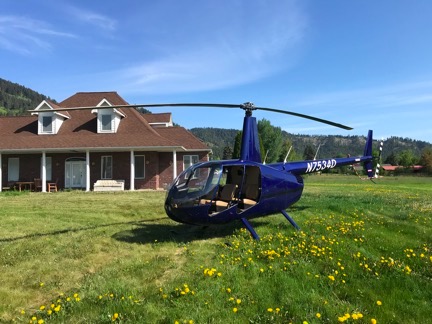
Here’s Mr. Bleu on a photography client’s front lawn not long after my FAA inspection. The front seat photographer did still photos while the guy behind him did video. (By Chelan County’s definition, this is a heliport. Go figure.)
Now you might wonder why this mattered to me. First, understand why I might need to take one or more doors off. It’s mostly for aerial photo work — no serious photographer is interested in shooting images through a curved, possibly dusty Plexiglas window. I have worked with photographers who have chosen me because other operators refused to remove a door for them. Doors off is required and, coincidentally, I had booked a photo flight for the following Monday.
Second, if the doors could only be removed and installed by a mechanic, that meant I’d have to schedule a flight to the airport when a mechanic was present (9-5, M-F), wait while he removed the doors and made the logbook entry, do my doors-off flight, return to the airport when the mechanic was present (9-5, M-F) to have the mechanic install the doors and make another logbook entry, pay the mechanic for his time, and fly back to my off-airport landing zone.
The level of inconvenience this interpretation of some obscure rule was causing me was astounding. Consider my Monday flight, when I was scheduled to meet my client in Leavenworth — the opposite direction of the airport — at 7 AM — two hours before my mechanic gets to work. That meant I’d have to fly to the airport the day before — well, no because that was Sunday so I really needed to be there three days before, on Friday — to have the doors removed, then return to my landing zone, leave the doors off while parked for several days, fly to meet my client on Monday, and then return to the airport before returning to base. I figure 4/10 hour on the hobbs meter just to add in all the flight time for the mechanic.
And in a helicopter, time is real money.
And what happens if I pick up a tour flight after the doors have been taken off? Do I just apologize to the folks paying me nearly $600/hour for the drafty in-flight conditions? Or just say no to them, thus taking a pass on an hour’s worth of revenue, and hope the photographer doesn’t cancel, leaving me with a net loss for the doors off adventure?
According to the Spokane Gang of Four, there was no way around this for me. Not at all. No waivers or anything else.
And that’s when I got seriously pissed off.
“Breathe”
After covering the helicopter back up and watching the FAA guys drive away in their little car — and wondering how comfortable they could possibly be crammed in there for the 3-hour ride back to Spokane — I got back into my Jeep and headed into town to run some errands. On the way, I called another Part 135 operator friend and vented to him about the doors, knowing that he was in the same boat as me.
“Breathe,” he told me. And then he told me a few other things that I won’t repeat here, including how he planned to deal with it.
I relaxed a little, but I knew his solution would not work for me. I’m too fucking honest.
And that’s really what it all comes down to: honesty. The FAA makes these rules that are nearly impossible to comply with, knowing damn well that some operators just won’t follow the rules because they can’t. It’s like they’re setting a trap. And one day, when they decide they just don’t want to deal with you anymore, they spring that trap and pull your ticket.
I have to say that I never thought this way about the FAA until I moved my operation to the management of the Spokane FSDO. I’m not sure if its a timing thing — maybe the whole FAA has changed? — or it’s just a higher level of unreasonableness. I thought the goal was to ensure safety. These days, it seems as if the goal is to see how many hoops an operator will jump through — how much money they’ll throw away on useless equipment and “maintenance” — before they throw in the towel and quit flying.
Another Part 135 operator friend of mine had enough when they zapped him for doing a photo flight at a train yard — long story there — and decided to punish him by suspending his license during cherry season, which is when he made 90% of his flying income. His “you can’t fire me I quit” response was to sell his helicopter and get out of the business entirely. I suspect that’s exactly what they wanted. I’ve also come to suspect that this FSDO sees small operators as nuisances. That would surely explain the failure to give waivers for a useless piece of equipment in a VFR-only aircraft — the radar altimeter — and this new rule about removing and installing doors.
The Safety Wire, Revisited
Of course, I also had to deal with the safety wire to satisfy the FAA guys. That meant getting my mechanic out to the helicopter to do the job, taking photos of the finished work, and scanning the logbook entry. I’d send all that evidence to them as soon as possible, knowing how long it takes them to process requests. All this had to be done before my photo flight on Monday. (Oddly, I wouldn’t need to have the mechanic remove the doors then because the helicopter was not yet on my Part 135 certificate so it was still legal for me to do it, as long as I made a logbook entry. I’m still trying to wrap my head around that convoluted piece of logic.)
But I wanted to rib the maintenance shop about missing the safety wires so I shot off a text to Paul, the Director of Maintenance where I bought the helicopter:
Spokane sent FOUR inspectors today. Just a few minor problems to resolve, the most embarrassing of which is the fact that there was no safety wire on the tail rotor gearbox and oil filter. (Oops!) I’m hoping to get a mechanic out to my LZ to fix that tomorrow. There was also some question on whether I need a radio altimeter supplement in my POH on board. Do you know?
Then they told me that I’m not allowed to remove or reinstall my doors because I’m not a mechanic.
His response came moments later:
Safety wire is not required.
There was more, mostly from me, but I’d prefer not to repeat it here. A while later, when I got home, I got his brief email:
Safety wire SL-45 link.
https://robinsonheli.com/wp-content/uploads/2015/12/r44_sl45.pdf
Sure enough, Robinson Helicopter Company had issued a Safety Letter dated July 3, 2013 titled “Deleted Safety Wire.” The Background section stated:
Safety wire and safety wire provisions have been deleted from various installations and parts. Deleting safety wire reduces maintenance cost and decreases the potential for safety wire-related FOD. This letter provides guidance for installing parts with or without safety wire provisions.
You can bet I wasted no time forwarding that document to my PMI. I’m sure it got to his office in Spokane before he did. Of course, he never said a word about it. I had to email him the following week to ask if he’d gotten it and whether it was still an issue. His response was brief:
I got it thank you. It takes care of the question raised about the safety wire.
There are three lessons to learn here:
- The FAA is not all-knowing. In their defense, how could they be? There are hundreds of makes and models of aircraft. How could they be expected to know about every maintenance procedure or service letter for every one. While it bugs me that they automatically assumed there was a problem, it felt really good to educate them.
- An experienced mechanic knows stuff the FAA doesn’t. I had already suspected this — which is why I prefer taking my aircraft for repairs and maintenance to a shop that sees Robinson Helicopters all the time — but my safety wire experience proved it.
- Questioning authority can save you money. In this case, I saved at least $100 — the cost of getting a mechanic out to my LZ, which is a good 40-minute drive from the airport, for a 15 minute job that actually would have had me in non-compliance with Robinson’s Safety Notice.
But this got me thinking about the doors-off issue. If Robinson said safety wire wasn’t necessary in a place where the FAA thought it was, perhaps Robinson could weigh in on the door removal issue?
But haven’t you read enough here? (I’m surprised you made it this far.) I think I’ll save the door issue for another blog post. As you’ll see, it’s not a simple matter.

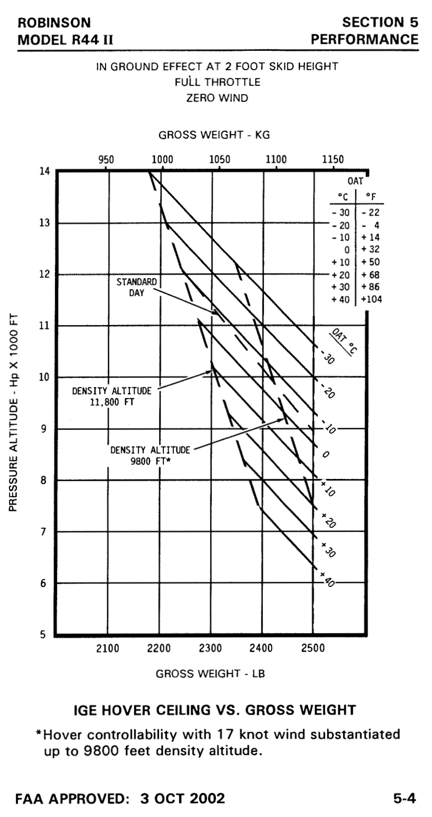
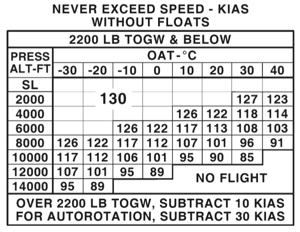
 It’s that first if that the pilot usually has complete control over: the conditions of flight. That’s where the Height-Velocity Diagram comes into play. This diagram, which is part of the Pilot Operating Handbook (POH) that pilots are required to know inside and out (and even carry on board, as if we could consult it while flying), shows the flight profiles in which an autorotation is most likely to be completed successfully. By “flight profiles,” I’m referring to a combination of airspeed and altitude.