I have the worst campground stay ever, mostly because of the campground manager’s psychotic wife.
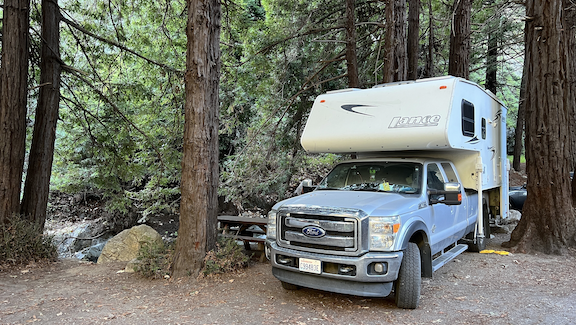
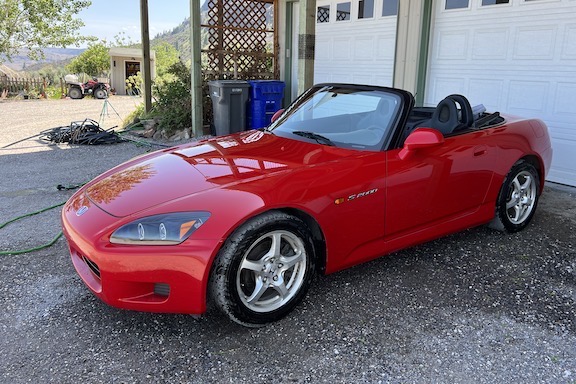
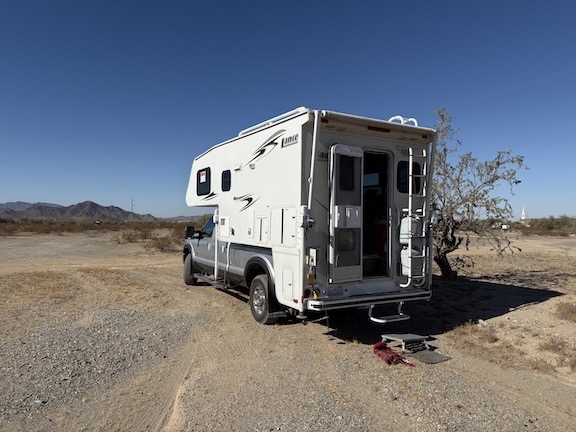
I’m snowbirding again, traveling in Arizona with my truck camper, which I hope to sell. I’d planned to come down here on a much shorter trip in my little Honda S2000. As the weather at home got gloomier and gloomier, I decided to load up the camper and head out early, spending more time with friends and enjoying the desert. My house-sitter was thrilled to be able to check in early; he’s a skier and loves spending winters at my house.
This has been a rocky journey. The first hurdle was serious truck troubles in Kingman, AZ that took time and money to resolve. Fortunately, I had both, although I’d prefer to spend them on other things. Then I had some camper battery issues near Tucson. More money, not much time, got the batteries replaced.
But, in general, the trip has been great so far. I visited a bunch of friends, saw some property for a potential relocation next year, and have been buying the cabochons I need to make jewelry — something I hope to get back to as soon as I return home.
Quartzsite is my current stop and I booked three nights at what I thought was Rice Ranch at the corner of Keuhn and Rte 95, very close to Tyson Wells where my friend Janet has a booth selling her artwork. I’d stayed there before and it was extremely convenient for me, as well as being far enough off the freeway that it was pretty quiet at night.
And that’s where my Quartzsite visit went south.
My Mistake: Booking at Rice Ranch North
You see, it turns out that I didn’t book at Rice Ranch. I booked at Rice Ranch North, which is east of Rice Ranch and completely unaffiliated. So when I turned up at Rice Ranch in the dark after driving 4 1/2 hours from Phoenix in too much traffic — rush hour there, construction near Quartzsite — I couldn’t find the entrance.
I called the number for the place and left a message. A woman called right back and directed me to their place, which I’d driven right past. It was crazy dark and, when I found my way in, she directed me with a flashlight to back into a spot.
I was angry and flustered about being somewhere I didn’t expect to be — somewhere that wasn’t walking distance from Tyson Wells in the dark or with bags of purchases and dogs on leashes. When I mentioned that I might nose in, the woman said I wasn’t allowed to. When I asked her why, she said that “everyone else would want to.” What kind of juvenile nonsense was that? I don’t take kindly to idiotic rules and pushed back. It turned into a bit of a shouting match. Finally, she went away.
I was supposed to visit Janet at Tyson Wells on arrival and there was no way I was going to walk there in the inky blackness. So I backed out, found my way out the exit — after making two wrong turns; I did mention it was dark, didn’t I? — and went to Tyson Wells. I relaxed a little with her. We both agreed that it didn’t matter which way my rig pointed as long as I was parked in my site. After about 45 minutes, I went back to the campground, found my site, and nosed in.
Intimidation and Another Surprise
I was feeding my dogs less than 5 minutes later when someone outside said “knock knock.” It was a man’s voice. He said he was the manager.
Feeling intimidated by the appearance of a stranger in the dark, I opened the door just enough to talk to him. He said I had to back in because that was the rule. When I asked him why, at least he had a decent reason: he was worried about people tripping over my power cable, hose, sewer pipe, etc. I assured him that would not be a problem. I told him I’d had a long drive with a lot of traffic, was very tired, and was someplace I didn’t expect to be. He said that we’d talk about it in the morning and left.
(As Janet wondered the next morning, how could people trip over my cables and hoses if they were contained in my site? What would other people be doing in my site?)
After feeding and walking my dogs, I went out to plug in. There was no 30 amp power at my site, which is what my rig takes. Just 20 amp (household current) and 50 amp. Fortunately, I have an adapter. I plugged in and made a mental note not to run the coffee maker and microwave at the same time.
My Daily Routine
I slept like crap. I hate listening to freeway noise and there’s no escaping it at that campground.
In the morning, I was up as early as usual. At around 7, I unplugged, stored my cable, and left the campsite. Since I couldn’t easily walk from the campsite to Tyson Wells, I figured I’d just park at Tyson Wells every day. The camper has For Sale signs on it and it would be better to be someplace where a possible buyer might see it anyway.
I needed to get there early to get a good spot. I wound up parking on the main road, backed in so my camper door would be by the walkway and safer to get my pups in and out. That’s one of the benefits of my setup: I can fit in just about any parking space.
I took my pups on a short hike with Janet and her dogs at around 8:30, then stowed my pups in the camper, took out my ebike, and went to the rock show at Desert Gardens. I spent hours there. Then I got back, took my pups for a walk, stowed them again, and walked around the south side of Tyson Wells. Lots to see and buy! Parking at Tyson Wells during the day was working out very well for me.
At around 5 PM, after making dinner arrangements with Janet, I took the camper back to the campground. I passed the manager’s wife as I came in and noted that she was watching me closely. I backed in — it was easier that way since I had to plug in and unplug again in the morning. She didn’t bother me.
Janet came a while later and drove us to dinner at Taco Mio. (Highly recommended. I’m re-heating my leftovers on the stove now as I type this.) She dropped me back off around 7:30. I walked my pups again, then closed up for the night. No one bothered me.
That was Wednesday. On Thursday, I did pretty much the same thing, but took a different parking spot a bit farther down the road at Tyson Wells. This time, after our walk I treated myself to an excellent (but expensive!) cinnamon roll before putting the pups into the camper for the day.
Then I was off to the Pow Wow, which was the main show I’d come to Quartzsite for. It’s on the other side of the freeway, an easy ride from Tyson Wells (or the real Rice Ranch). I spent the whole day walking around looking at rocks.
After lunch and more rocks, I was burned out and went back to Tyson Wells. I told Janet I’d make dinner and she agreed to come to my campsite.
I stopped at RV Pitstop to get my propane bottles filled and Reader’s Oasis (which is sad without Paul) to look for affordable old atlas books. Then back to the campground. It was sometime around 4 PM. I backed in. This time, I plugged in power, connected my hose, and even connected my sewer pipe. I’d be leaving the next day and wanted to dump my waste tanks and top off my water tank before departure. I also wanted a good hot shower to get some of the Quartzsite dust off me. (If you’ve ever been here, you know what a losing battle that is.)
For the rest of the afternoon and into the evening, trucks came and went in a truck yard I hadn’t noticed before between the campground and the freeway. There was some talk over either a loudspeaker or a radio turned way up. This was the first time I’d heard it, since I hadn’t spent much time at the campground during the day. It was pretty annoying at times. Even Janet commented on it after she arrived around 5:30.
We had dinner inside my rig, watching a nice sunset at the end of what had been a cloudy — with even some rain! — afternoon. She stayed until about 7:30. After struggling with Quartzsite’s notoriously bad evening internet service — a topic for another blog post — I retired to my bed with a book and had another fitful night of sleep listening to freeway traffic.
The Psycho Bitch Goes Psycho
I had already decided to take Friday off from rock shopping. I figured I’d have a leisurely morning, dump my waste tanks, fill my water tank, and leave just before 11 AM, which was checkout time. I was looking forward to microwaving that leftover burrito from Taco Mio before unplugging and pulling out.
I dealt with the sewer tank first. That required me to dump everything, lift the hose — because the campground had a sewer port that was idiotically extended at least 10 inches above the ground — and continue lifting until all the waste was out. Then I had to add water to the toilet with the toilet chemical. Then clean the sewer hose. Then hook up the water filter and fill the fresh water tank.
Somewhere during this process, I left the back door of the camper open. My pups had been on the bed in a patch of sunlight. When I was finished with the hoses and had stowed them, I grabbed their leashes, ready to take them for a quick walk before I heated my early lunch. But they were not in the camper.
They were nowhere in sight.
I knew this wouldn’t end well, but I could never imagine just how poorly it would end. I called and called. The manager’s wife was in a golf cart and called out to me, “Are you looking for your dogs?”
I called back that I was. She pointed. I headed that way, still calling. The dogs appeared. I put them in the camper and closed the door.
The manager’s wife came up to me and I asked her, “Did they shit anywhere?” There’s one thing I’m very good about and that’s cleaning up after my dogs. So many places forbid dogs because of a few inconsiderate people that let their dogs shit all over the place. I’m not one of those people. I figured she was coming over to me to tell me that they’d made a mess somewhere and I was ready to go clean it up.
But no. She came to lecture me. “I don’t know,” she said. “Your dogs need to be on a leash here.”
“I didn’t even know they’d gotten out,” I said in my defense.
And then she went psycho.
She started screaming at me and kicked me out of the campground.
I had to laugh at her. I had 45 minutes left in my stay and she had decided to kick me out. She started ranting about me coming and going and told me she thought I was going to leave Wednesday and not come back. I said I’d paid for three nights and I wanted to use them. I told her that if she’d offered me a refund, I would have left. She said they had a 7 day refund policy. I said I wasn’t about to leave when I’d paid for the site.
She totally wigged out. It was as if she’d been harboring this anger against me since my arrival on Tuesday night and had used my loose dogs as an excuse to explode. It was crazy weird.

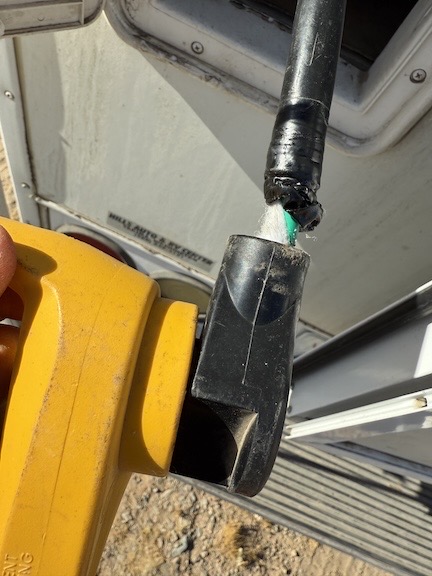
The cable wasn’t like this before she yanked it out. The yellow thing is the adapter I needed to use because my site didn’t have 30 amp power.
When I told her I wasn’t going to leave until checkout time at 11 AM and went to drop off a poop bag in the nearly overflowing garbage dumpster, she stalked over to the power pedestal, roughly pulled out my power cord, and locked the box. I plugged it into the other side of the pedestal, thinking about the yummy burrito waiting to be heated! She yanked it out again. This time, she broke the cable.
I told her I wasn’t leaving until 11 AM. She threatened to call the police. I told her to call them. She must have told me another 10 times to leave and I just laughed at her. She got more and more angry. It was so funny to watch.
Then I tried to talk to the owner, who other people said was in a motorhome nearby. I spoke to a very nice older woman who seemed nearly as flustered as I was. But then the psycho bitch ran over and started trash talking me to her. I went back inside my camper, not even sure if I’d been speaking to the owner after all.
The psycho bitch came raving back to my rig and yelled at me to leave. I told her to call the police. I told her I’d paid up until 11 AM and that’s when I was leaving.
It was comical to see how crazy she got. She said she’d call 911 — as if I were some sort of emergency. She finally got someone on the phone. She was parked in her golf cart right next to my rig and read someone my license plate. She gave them my first name and when she couldn’t come up with my last name, I opened the window and told her what it was. I think she was extra annoyed when I spelled it for her.
And then she started lying to the cops. She told them that I said I was leaving but instead I was sneaking in and out at night so no one could talk to me. Utter bullshit. I was back at the campsite every single day before dark — she’d even watched me come in on Wednesday! Her lies totally pissed me off, so I called the cops, too. I told them what was going on and that I wanted to set the fact straight. The woman I spoke to said that there was only one officer for Quartzsite — poor woman! — and that she was already backed up on several calls. I gave the woman who answered the phone my name and phone number and told her that I saw no reason to wait around. I asked that the responding officer call me.
And then I loaded my pups into the truck and left. It was 10:45 AM. The psycho bitch was standing at the golf cart with two or three older women watching the road for the police car. It’s nearly 1 PM now and I wouldn’t be surprised if she is still waiting.
Back to the Desert
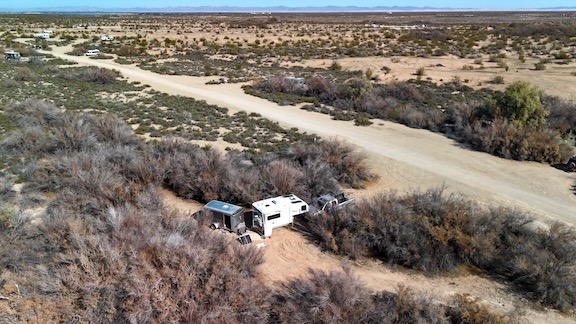
I drove out to the desert about a mile from there and found a nice spot for the rest of the day and the night. And don’t tell anyone, but my dogs were loose for 15 minutes!

Although the BLM land in the desert around Quartzsite isn’t exactly scenic, it is free, quiet, and lacks psychotic managers.
I’d wanted to take the day off to do some writing, but never dreamed I’d be writing about nonsense like this. People who can’t keep their cool dealing with guests should not be running campgrounds. I’ll have a peaceful night here, away from the freeway. Tomorrow, I’ll be back at Tyson Wells for my morning hike with Janet and her dogs.
And yes, I’ve learned my lesson: the next time I book a campsite, it won’t be online. It’ll be on the phone where I can verify the location of the campground and the features available at my site.

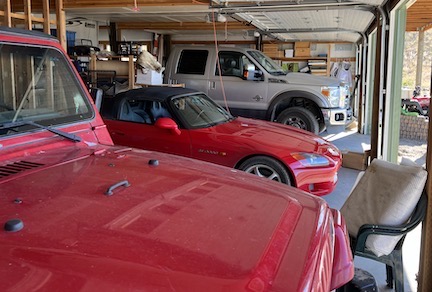
 This might be the only photo I have of my Honda and Toyota parked side by side. For years, the Toyota lived at whatever airport I flew my helicopter to most often: Prescott, Scottsdale, and, in this photo, at Phoenix Deer Valley.